






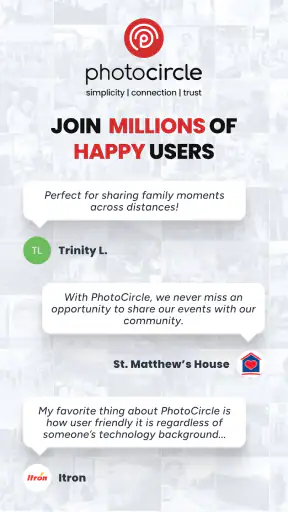
I found PhotoCircle most useful when a group needs to share personal photos without turning every image into a public social post. It is a free photography app from PhotoCircle, Inc., built around private photo and video sharing rather than editing, filters, or a large public feed. That focus makes it especially interesting for households, small groups of friends, travel companions, and relatives who want one shared place for everyday moments.
My first impression was that the app makes more sense as a shared album space than as a replacement for a full social network or cloud photo library. You bring people together around a circle, then use that space to exchange photos and videos. The idea is simple, but the usefulness depends heavily on how carefully the group sets expectations about who should be included and what belongs there.
How PhotoCircle works in a shared household
A realistic example is a family using several phones during a weekend away. One person takes pictures at breakfast, another records a child’s performance, and someone else captures the group photo that would otherwise remain on a single device. Instead of sending each image separately through several chats, the group can use a shared circle as a common destination.
I like this approach because it separates personal camera rolls from the group’s collection. That distinction matters in a household where people may use different phones, prefer different messaging apps, or simply forget to forward pictures. A shared space reduces the need to remember every recipient, while still keeping the exchange centered on the people invited to that circle.
The same workflow can help with practical situations: collecting pictures from a birthday, keeping relatives updated during a trip, or gathering several viewpoints of a school or community event. It is less about creating polished albums and more about making sure useful memories do not stay scattered across individual devices.
There is also a social advantage. A private circle feels more intentional than posting to a broad audience. People can contribute casually without worrying that every image needs a caption, a public-facing composition, or a carefully managed profile. In my experience, that lowers the barrier for relatives who are comfortable taking photos but do not enjoy conventional social media.
Still, I would not treat it as a universal replacement for messaging. If I need an immediate reply about dinner plans, a normal chat app is faster and clearer. PhotoCircle is better when the main goal is collecting and revisiting visual material, not carrying on a long text conversation.
Setting boundaries before inviting people
The most important setup decision is not technical; it is social. Before creating or joining a circle, I would decide exactly who needs access and what the space is for. A household might create one circle for close relatives, while a trip group might use another for the people attending that trip. Keeping those purposes separate makes the shared collection easier to understand later.
I would also avoid treating a shared circle as automatically suitable for every person in the home. A phone may be shared, borrowed, or left unlocked, but that does not mean every household member should see every photo. Account boundaries still matter on a device used by several people. Each person should understand which account or circle they are using before adding personal material.
This is particularly important when a parent hands a phone to a child. The app has an Everyone content rating, but that does not remove the need for adult judgment about invitations, images, and other participants. The rating describes the app’s general age suitability; it is not a substitute for deciding whether a particular circle is appropriate for a particular child.
I would explain the circle’s purpose in plain language before inviting anyone: who is inside, what kind of photos belong there, and whether members should ask before sharing pictures that include other people. That small conversation prevents many awkward moments, especially when relatives have different ideas about privacy.
On a shared device, I would be cautious about leaving an account open for convenience. The app is designed around private sharing, so the privacy benefit depends on the device and account being handled responsibly. If several people use one phone, switching between personal contexts without checking the active account can lead to an unintended upload or an image being viewed by the wrong person.
Another useful boundary is separating temporary events from permanent household habits. A circle for a vacation can be easy to understand and eventually stop using. A permanent family circle may accumulate years of mixed content, making it harder to find important memories. I would choose the structure based on how long the group expects to use it, rather than placing every photo into one endlessly growing space.
Coordinating photos without creating extra work
PhotoCircle’s strongest household value appears when several people contribute at different times. Instead of assigning one person the job of collecting everyone’s pictures, each participant can add their own view of an event. That is a subtle but meaningful change: the person organizing the occasion no longer has to act as a manual file collector.
For a birthday, I would create the circle before the event, invite only the intended guests, and tell everyone to add their favorite images afterward. This avoids interrupting the celebration with repeated requests to send files. It also gives people time to choose what they actually want to share rather than forwarding every accidental shot.
For a trip, I would use a separate circle from the household’s everyday sharing. That makes coordination easier because the purpose is clear. If someone asks, “Where are the pictures from the museum?” the answer is connected to the trip circle rather than buried among unrelated family moments.
A helpful habit is to agree on a simple naming or timing convention outside the app. For example, participants can decide that photos from each day will be added that evening. I would not rely on the app alone to organize a group that has no shared routine. The technology gathers the material, but the people still need a lightweight agreement about when and why they are contributing.
There is a trade-off here. A shared space can reduce duplicate sending, but it may also encourage people to upload too much. If every participant adds multiple near-identical images, the collection becomes tiring to browse. I would encourage selective sharing: the clearest version, the funniest moment, or the image that tells the story best. That keeps the circle useful instead of turning it into an unfiltered camera dump.
I also see value for households with relatives living elsewhere. A grandparent who does not want to maintain a public social profile may still appreciate a focused place for family photos. Conversely, someone who already manages several group chats may find another shared space unnecessary. The benefit depends on whether PhotoCircle simplifies the group’s existing habits or merely adds one more place to check.
Trust, age, and the meaning of “private”
The word private should be understood carefully. In this context, it suggests a limited sharing environment rather than a guarantee that an image can never be copied, saved, or shown elsewhere. Once another person can view a photo, that person’s judgment becomes part of the privacy equation. I would avoid sharing anything in a circle unless I was comfortable with every invited member seeing it.
This is where household trust becomes more important than the app’s simple interface. Adults may assume that a family circle is harmless, while younger users may not fully understand why a photo of a friend, school activity, or private room should not be redistributed. A short conversation about consent is worthwhile, especially when children are contributing from their own devices.
The Everyone rating makes the app broadly approachable, but families should still set their own rules. I would explain that being allowed to use the app does not mean every photo is suitable for sharing. Children can be included in a circle while still having clear limits about photographing others, posting identifiable details, or adding people without permission.
For mixed-age groups, I prefer circles with a narrow membership and a clear purpose. A household-wide circle may be fine for ordinary celebrations, but a smaller circle is more appropriate for sensitive family matters. The app can support the idea of a private group, yet it cannot replace the adults’ responsibility to manage invitations and discuss respectful use.
Account boundaries also affect trust between adults. If a couple shares a tablet or a family phone, each person should know whether an upload is being made from an individual account or a shared context. I would be especially careful before adding photos from work, travel, or private conversations. A moment of confusion about the active account can undermine the confidence that makes a private-sharing app attractive in the first place.
For that reason, I see PhotoCircle as a good fit for groups that already trust one another and are willing to communicate clearly. It is not the right choice for a group where membership changes constantly, nobody agrees on privacy expectations, or participants want strict control over every possible copy of an image.
What it offers compared with familiar alternatives
Compared with ordinary messaging apps, PhotoCircle gives the visual collection a more central role. Messaging is excellent for quick discussion, reminders, and one-off images, but photos can become difficult to locate after a busy conversation. A dedicated sharing space is more natural when the pictures themselves are the main subject.
Compared with a public social network, the appeal is the narrower audience. I would choose it when the goal is to share a family moment with a defined group rather than publish it to followers or contacts. The quieter format may also suit relatives who do not want likes, comments, or public profiles to shape how they share.
Compared with a general cloud photo library, the experience is more group-oriented. A cloud library is often best for backing up an individual’s entire collection and searching across years of personal images. PhotoCircle is more focused on a selected group contributing to a shared stream. If I wanted advanced personal archiving, broad device backup, or powerful photo management, I would look elsewhere. If I wanted a simple private exchange among known people, this app would be easier to justify.
The choice also depends on how much organization a household needs. People with large libraries, professional photography workflows, or demanding editing requirements may find the app too focused. Its value is not in replacing a desktop catalog or editing suite. It is in reducing friction around shared photos and videos.
One practical consideration is cost. The app is free to use, while optional in-app purchases range from around one dollar and fifty cents to about ten dollars per item. I would check the purchase prompt carefully before confirming anything, particularly on a device used by several family members. A shared phone makes it even more important that everyone knows which account handles purchases and who has permission to approve them.
Device compatibility and everyday friction
The current version is 2026.0805.02, and the app supports Android 8.0 or later. That makes the minimum operating-system requirement relevant for households keeping an older phone as a spare or handing down a previous device. Before planning a group around it, I would check every participant’s phone rather than assuming that an older handset will run the same experience.
Because this is a photography app, the practical experience will also depend on the phones people bring to the circle. A newer phone may produce large, detailed images, while an older one may contribute smaller or less polished files. That difference is not necessarily a problem for family sharing, but it can become noticeable when the group expects consistent quality.
I would also plan for the human friction of multiple contributors. Some people will upload immediately, while others will forget until days later. The app can provide a shared destination, but it cannot make a reluctant participant remember to contribute. A gentle reminder after an event is more realistic than expecting everyone to follow the same routine automatically.
Another limitation is that private sharing can create a false sense of order. A circle may collect everything successfully while still becoming difficult to browse if the group never agrees on what belongs there. I would use separate circles for clearly different occasions and discourage repetitive uploads. That small amount of organization makes a bigger difference than simply inviting more people.
With over one million installs and an average rating of 4.8 from around eighteen thousand ratings, the app clearly has a substantial audience for this kind of sharing. Those figures make me more comfortable recommending it as an established option, but they do not change the need to test it with the actual people in my household. A tool can be well received overall and still fail to fit a particular family’s habits.
Who should use it, and who should choose something else
I would recommend PhotoCircle to families that want a focused place for photos and videos, friends organizing a shared event, and relatives who prefer private group sharing over public posting. It is especially suitable when several people regularly contribute images and the group is small enough to maintain clear trust.
I would be more hesitant to recommend it to someone seeking serious photo editing, complete cloud backup, professional asset management, or a full-featured messaging platform. Those needs point toward different tools. I would also skip it for a group that dislikes managing invitations or already has a well-organized shared album that everyone uses consistently.
For a child’s use, I would involve an adult in the initial setup and keep the circle limited to people the family knows. The Everyone rating is reassuring for general accessibility, but the right decision still depends on the child’s maturity, the images involved, and the behavior of the invited group.
For a shared household device, I would use separate personal accounts where possible, check the active account before uploading, and avoid assuming that a phone being physically shared means its photo spaces should be shared too. Those habits are more important than any convenience gained from opening the app quickly.
The app is also a good candidate for a short trial with one specific event. A family can use it for a birthday or weekend trip, observe whether people actually contribute, and then decide whether it deserves a permanent place in their routine. That approach avoids building a complicated system before knowing whether the group will use it.
My household verdict
After looking at PhotoCircle as a real household tool, I see its main strength in making private photo exchange feel deliberate without demanding a public social presence. It gives a group a shared visual destination, which can be more practical than scattering images through individual chats and less exposed than posting them broadly.
The app works best when the group agrees on boundaries before sharing begins. Keep circles purposeful, invite only the people who need access, check the active account on shared devices, and talk with younger users about consent and respectful posting. Those steps are not complicated, but they determine whether the app feels reassuring or careless.
PhotoCircle is free, rated for Everyone, and developed by PhotoCircle, Inc., with optional purchases for users who want to spend more inside the app. I would recommend it to a trusted household or small group that wants a simple private photo-and-video workflow. I would not recommend it as a complete replacement for cloud backup, editing software, or everyday chat.
My final recommendation is straightforward: use it when the shared memories matter more than public interaction, and when the people in the circle are willing to respect clear account and privacy boundaries. In that situation, it can remove a surprisingly annoying part of family life: finding, collecting, and sharing everyone’s photos without making one person responsible for all of it.


